CPU Fan in Motherboard Design, CPU Front Panel Integration & PCB Manufacturing Standards
Understanding CPU Fan in Motherboard Systems
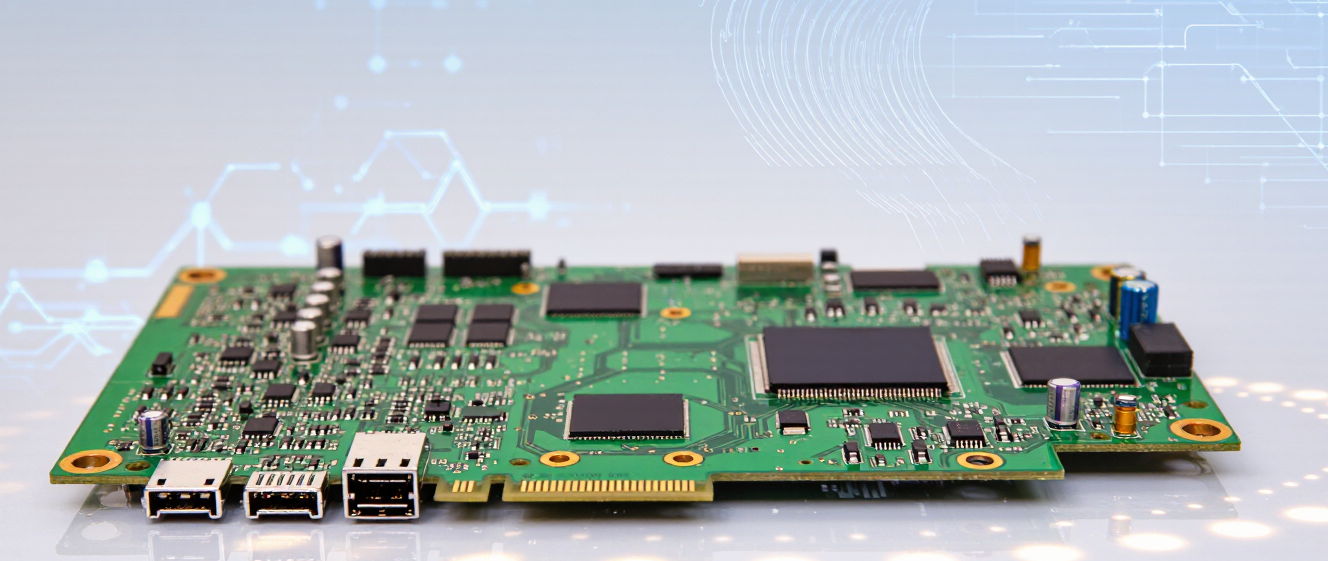
A CPU fan in motherboard design plays a critical role in thermal management & system stability. The motherboard integrates dedicated fan headers that regulate voltage, PWM control & speed monitoring. Manufacturers design the CPU motherboard fan circuit to ensure consistent airflow while preventing overheating under continuous load. Proper PCB layout supports signal integrity & reduces electrical interference within high-frequency processing environments.
CPU Motherboard Fan Header & Electrical Design
The CPU motherboard fan header typically includes 3-pin or 4-pin connectors. A 4-pin PWM interface enables dynamic speed adjustment based on processor temperature. PCB engineers route power & control traces carefully to prevent voltage fluctuation & signal noise. Stable copper thickness, accurate impedance control & optimized grounding improve reliability in high-performance computing systems.
CPU Front Panel Interface & System Connectivity
The CPU front panel connector on a motherboard handles power switch, reset switch, HDD LED & system indicator signals. Although it appears simple, this interface requires accurate pin mapping & trace planning during PCB manufacturing. Poor routing may cause unstable boot signals or inconsistent system response. Professional PCB manufacturers ensure clean layout segmentation between power, control & high-speed data lines.
Key Design Factors for CPU Fan & Front Panel Integration
When designing motherboard PCB solutions, manufacturers focus on:
-
Accurate PWM fan control circuit for stable speed regulation
-
Optimized copper thickness to support consistent voltage supply
-
EMI shielding & grounding design to reduce interference
-
Proper header placement to ensure easy system assembly
-
Thermal-aware PCB layout that supports airflow efficiency
These design strategies improve long-term motherboard performance & reduce system failure rates.
Technical Overview of CPU Fan & Motherboard Interfaces
| Component | Function | Engineering Requirement | Manufacturing Impact |
|---|---|---|---|
| CPU Fan Header | Supplies power & PWM signal | Stable voltage & noise control | Prevents overheating & instability |
| PWM Control Circuit | Adjusts fan speed | Clean signal routing | Enhances thermal efficiency |
| Front Panel Header | Connects system switches & LEDs | Accurate pin layout | Ensures stable boot & operation |
| Ground Plane | Reduces EMI | Controlled impedance | Improves reliability |
| PCB Material | Supports heat dissipation | High Tg material selection | Extends board lifespan |
PCB Manufacturing Standards for Motherboard Applications
A professional PCB manufacturer such as RJX Multilayer PCB focuses on precision drilling, controlled impedance routing & multi-layer board fabrication. High-density interconnect technology supports CPU fan motherboard circuits & front panel connectors without compromising electrical performance. Strict quality inspection ensures solder mask accuracy, via reliability & trace integrity.
Manufacturers apply automated optical inspection (AOI), electrical testing & thermal reliability checks before shipment. This process guarantees stable performance in gaming systems, industrial computing & embedded devices.
Why Choose a Professional PCB Manufacturer
For OEM motherboard projects, choosing an experienced PCB manufacturer ensures:
-
Multi-layer PCB capability for complex CPU & fan circuits
-
High-frequency material support for stable processor environments
-
Strict quality control & global compliance standards
-
Fast prototyping & scalable mass production
Reliable motherboard performance starts with high-precision PCB manufacturing.
FAQ: CPU Fan in Motherboard & PCB Design
Q1: What is the difference between 3-pin & 4-pin CPU fan connectors?
A 3-pin connector provides voltage-based speed control, while a 4-pin connector supports PWM control for more precise thermal management.
Q2: Why is PCB layout important for CPU fan circuits?
Proper routing reduces voltage drops, minimizes interference & ensures stable cooling performance.
Q3: Does front panel design affect motherboard stability?
Yes. Incorrect pin routing may cause boot errors or unstable system response.
Q4: What PCB materials are best for motherboard applications?
High Tg FR-4 materials or advanced thermal substrates improve durability under sustained processor load.
Q5: How does manufacturing precision affect CPU fan performance?
Accurate copper thickness, clean signal routing & reliable solder joints directly impact voltage stability & long-term performance.


.jpg)