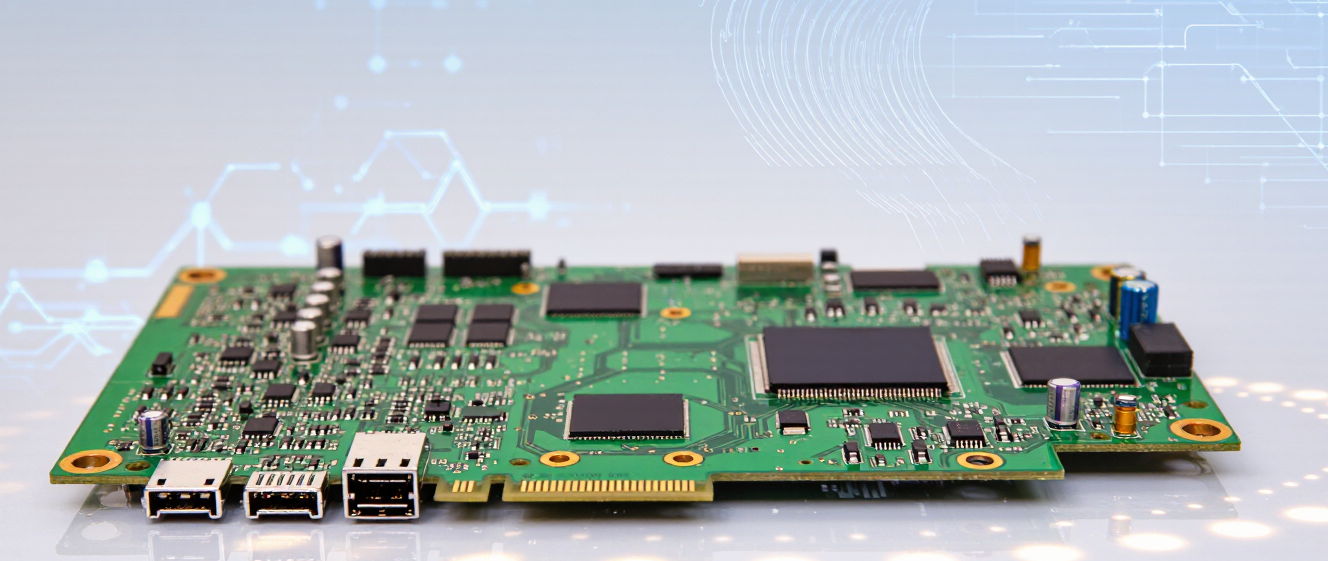
Finding Your Motherboard: A No-BS Guide for Gaming Builds
Where Most Gamers Throw Money Away on Motherboards
Look, I've been down this road before. Bought a "high-end" pc motherboard for gaming thinking it’d magically boost my frame rates. Spoiler alert: it didn’t. Here’s the messy truth about what we waste cash on—and how you can skip the rookie mistakes.
Overkill Chipsets (Like Buying a Sports Car for Grocery Runs)
Betting on Z-series chipsets for non-overclocking rigs? Yikes. Those fancy B-series boards handle 90% of tasks fine. Unless you’re wrestling with overclocking RAM, why pay $50 extra for Wi-Fi 6E when your router barely reaches the garage? I learned this the hard way after eyeing a $350 board for a midrange Ryzen build. The salesperson said “future-proof!” Nope.
RGB Syndrome (#SaveMoneyNotLightShow)
Your fans will glow brighter than my gaming chair… until they don’t. Spending extra on pre-built lighting zones? Cool for photos, useless for play. I watched a buddy drop $200 extra for RGB headers that never synced with his streaming setup. Pro tip: Buy a cheap controller separately. You’ll sleep better knowing it didn’t burn holes in your wallet.
Ignoring Ports (Or Pretending You Need Them)
That board with 10 SATA ports? Great if you’re storing 2TB drives on every shelf. Real talk: Three M.2 slots beat ten SATA for 95% of setups. One time, I skipped checking expansion slots on a "budget-friendly" pc motherboard for gaming. Turned out I couldn’t add a secondary GPU later. Ouch.
VRMs: Don’t Overthink (Unless You’re Building a Rig)
“More phases = better” sounds convincing… until you realize a solid-tier VRM handles i5/i7 loads just fine. Unless you’re running liquid nitrogen coolants, skip the premium heat sinks. My current build uses a modest B550, and no thermal throttling here!
Bottom line: Treat your motherboard like a foundation, not a flex. It’s okay to spend less when features fade into irrelevance. Still curious? Drop your dream build specs below—I’ll flag hidden traps faster than you can type “PCIe 4.0.”
So You're Building a Gaming PC? Let's Talk Motherships
Alright, let's cut through the noise. When you're shopping for a pc motherboard for gaming, you've probably seen all those confusing specs and price tags going up to your monthly rent.
I get it. At first, I wasn't sure myself—do I really need RGB sync with my motherboard or whatever? Turns out, some things actually matter more than others.
What Actually Matters (The Real Stuff)
Here's the truth bomb: your CPU and GPU are the stars. But without the right motherboard, they won't even know where to park.
Think of it like this—you'd buy a Ferrari engine, but would you want it running on regular gas? Nope. Same deal with boards.
Chipset Choices: Friend or Foe?
Not all motherboards are created equal, and honestly, most people overthink this part. Let me break down what actually counts:
| Feature | Does It Matter? | My Verdict |
|---|---|---|
| RGB Lighting | Kinda | Nice to have, not essential |
| Number of USB Ports | Yes | Depends on your setup |
| VRM Quality | Absolutely | Crucial for overclocking |
| Onboard Audio | It depends | Good enough for most |
| WiFi Capability | Yes | Mostly needed if no Ethernet |
What Doesn't Really Matter (Save Your Cash Here)
Listen, I used to think every extra feature was worth it. Then I burned cash on a board I didn't need and learned my lesson.
- Overkill VRMs: Unless you're doing serious overclocking, mid-range is fine
- Brand Names: ASUS vs MSI vs Gigabyte—they all make decent boards at similar price points
- Extra RAM Slots: Four slots might sound cool, but most setups max out before that
- Bundled Software: Most of it's bloated crap you don't use anyway
Making the Right Choice Without Breaking the Bank
Here's what I tell myself every time I start a build: What am I actually going to do with this PC?
If you're playing 1080p games and streaming casually, a solid mid-tier pc motherboard for gaming handles that perfectly. Don't overspend on features you won't touch.
But hey, if you're planning future upgrades or heavy multitasking—that extra investment pays off eventually. Just be honest with yourself about what you need now versus what sounds cool later.
At the end of the day, the best motherboard is the one that fits your actual needs without draining your wallet. And honestly? That's usually somewhere in the middle of the price spectrum. Not cheap, not expensive. Just right.
Why These Details Matter When You're Building a Gaming PC
When you're shopping for a pc motherboard for gaming, it's easy to get caught up in specs like socket type and chipset. But here's the thing: the little details often bite you later. Trust me—I learned that the hard way.
Most guides focus on RAM slots or PCIe lanes, but skip the boring stuff that actually matters daily. Like whether your mouse has enough USB ports to survive a LAN party. Or if your CPU can stay cool when pushing limits.
USB Ports: Not All Are Created Equal
You know how many USB ports you actually need? Probably more than you think. I've seen folks cram everything into USB 2.0 hubs because they overlooked Type-A vs. Type-C layouts. Unless you want to fumble around in the dark every time you plug something in, check what your board offers.
Do You Have Enough Fast Ports?
USB 3.2 Gen 2 speeds are great for external drives and capture cards. If you're into live streaming or editing video, slow ports will kill your workflow. Oh, and those RGB-lit ports? Sometimes they're just pretty—but don't bet on durability unless you check reviews.
VRMs: Power Delivery Isn't Optional
VRMs (voltage regulator modules) are like the motherboard's muscles. Skip good ones, and you'll see throttling during stress tests—even with a top-tier CPU. If you ever plan to overclock, invest in a board with decent heat sinks over flashy branding. I've fried CPUs before; not fun.
The "Weird" Stuff Nobody Talks About Until It's Too Late
BIOS update buttons? Game-changers. Audio codecs? Worth upgrading if you use headsets. M.2 slots hidden behind heatsinks? You'll wish you had easier access. And yes, onboard batteries prevent corrupted settings—learned that lesson the expensive way.
RGB headers without software conflicts? Gold. Ethernet ports with Wi-Fi 6E? Nice-to-have. Look, I'm not saying spend your life savings. Just pick a pc motherboard for gaming that checks boxes you'll actually use. Save cash for GPUs and coolers. Game on!
Size Isn't Everything: Matching Your Case, Board, and Cooling Needs
When you're hunting for a pc motherboard for gaming, specs grab all the attention—chipsets, socket types, PCIe lanes. But honestly? After assembling my third rig (and failing spectacularly twice), I realized size isn't the boss fight here. It's more about fitting everything together like Tetris.
Your Case Is the Boss Level
Before obsessing over X79 chipsets, ask yourself: will this thing fit? I once bought a beefy ATX board that looked great on paper, only to find it clashed with my case's side panel. Took me three hours to remove radiators just to make space. Now, I measure twice and buy once. Micro-ATX cases love compact boards, but you lose expansion slots. Mid-towers offer flexibility, but don't assume full ATX always fits—check cable routing and GPU length clearance too.
Cooling: More Than Just Radiators
Big coolers sound awesome until they block your airflow. Air coolers need vertical space; liquid loops need mounting points. A few months ago, my massive tower cooler ended up hitting my RAM sticks because the board's heat sinks were in the wrong spot. Ouch. Pro tip: sketch your layout. Even simple paper diagrams save regrets. And if you're planning RGB fans? Check PWM header spacing—they're often crowded near the top.
Performance vs. Practicality
Is a $300 motherboard worth it over a $150 option? Depends on your load. Gamers who stream or edit video might benefit from extra VRMs and better BIOS. Casual players? A solid budget board works fine. Don't fall for marketing fluff like "gaming certified"—focus on real-world specs. Oh, and don't forget SATA ports! You don't want to unplug drives just because you upgraded your graphics card.
Bottom line: Treat your build like a puzzle. Match components intentionally, skip trends that won't impact your usage. Trust me, there's nothing worse than opening your case to find a tangled mess because someone didn't plan ahead. Happy building!
Why This Actually Matters
Okay, let's be real here. Most people don't wake up thinking about their motherboard when they're building a gaming PC. They want to slap in that RTX card, grab some flashy RAM, and call it done. I get it.
But after running through three different rigs over the last year? I've learned that your pc motherboard for gaming choice can either make or break your entire build—long before you ever fire it up for the first time.
The First Build—What I Got Wrong
At first, I wasn't sure what mattered. I picked something cheap, looked good on paper, had RGB lighting, and thought I was golden. Spoiler alert: it wasn't.
Three months in, I started noticing weird disconnects during intense matches. Not the game itself—the whole rig just acted up.
Turns out, the board didn't handle power draw well enough when paired with my CPU + GPU combo. Lesson learned.
What Actually Worked After a Year
Here's what stuck around, kept working, and still holds up today:
-
Solid VRM heatsinks—game changers when pushing hardware hard
-
Proper BIOS support—makes tweaking and overclocking way less frustrating
-
Enough M.2 slots—don't underestimate how fast SSD storage gets nowadays
Real Talk on Budget vs. Premium
Should you drop $500 on a board? Honestly? Sometimes yes, sometimes no.
If you're pairing a mid-range build and just want solid performance without drama—a quality mid-tier board will do just fine. But if you're planning to push your system hard for years, then yes, invest in something that won't bottleneck you later.
One Final Tip That Saved My Sanity
Always check compatibility before buying anything. Not just the CPU socket—everything matters. Memory speed, storage options, PCIe lanes, rear ports, everything.
A week ago I almost ordered a board that looked great until I realized it wouldn't fit the RAM profile I already had bought. Ouch.
Bottom Line
Your pc motherboard for gaming doesn't need to be fancy. It just needs to work reliably and not limit your hardware choices down the road.
After a year of ups and downs with different boards, I've come to appreciate stability over flashiness. If you're in the market, remember: it's better to have a quiet, reliable machine than one that promises the world but stutters during finals.