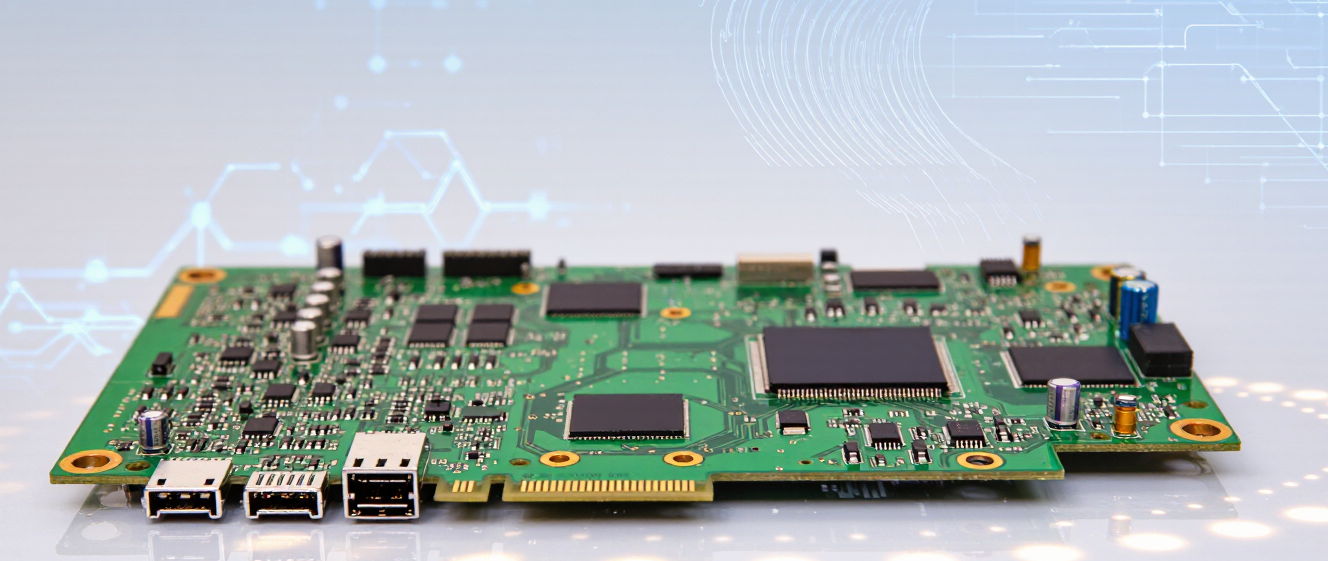
Is Your Phone’s Circuit Board the Real Problem? Here’s How to Tell
You Know That Moment When Your Phone Just… Dies?
I’ve been there—trying to charge my phone, and nothing happens. No lights, no vibration, just silence. At first, I blamed the cable, the outlet, anything except what I didn’t want to admit was possible. Sound familiar?
Here’s the truth: sometimes the issue isn’t the battery or screen. It’s the mobile phone circuit board underneath everything.
Common Signs Your Circuit Board Might Be Acting Up
-
Random shutdowns, even at 50% battery
-
Charging port stops working sporadically
-
Unusual heat around the back or camera area
I learned this the hard way after dropping my phone once. Two months later, it started freezing mid-call. Turns out? A tiny crack in the circuit board from that fall. Sneaky, right?
How to Diagnose Without Panicking
Before you assume the worst, run these quick checks:
-
Try a different charger and cable first
-
Check for physical damage near the motherboard area
-
See if the issue started after a liquid exposure
If all else checks out but the phone still glitches, yeah… the mobile phone circuit board could be the culprit. It’s not always obvious, but patterns tell their own story.
When to Seek Help vs. DIY
Honestly? Don’t solder random chips unless you’re trained. A friend tried “repairing” his phone once and ended up frying the whole thing worse. Professional diagnostics cost less than panic-induced upgrades, trust me.
Most repair shops have tools to test circuit health without guessing. And if it’s under warranty? They’ll usually handle it. Otherwise, weigh repair vs. replacement—you’d be surprised how much better new budget models perform!
Phones fail us when we least expect it. But knowing the red flags helps separate myth from reality. Whether it’s the circuit board or something simpler, a little investigation saves money and headaches. What’s your phone struggle story? Share below!
So, Your Phone Won’t Turn On. Now What?
Hey, have you ever been staring at a black screen, feeling like your entire world just ended? I’ve been there. Suddenly, your daily driver just gives up. You panic, think “It’s gone,” and reach for your wallet to buy a new one.
But here’s the thing we need to talk about. Before you toss cash at a device upgrade, take a breath. Often, the issue isn’t the whole device—it might just be the mobile phone circuit board playing tricks on you. And honestly, fixing that is totally possible.
Myth #1: Water Damage Means Immediate Death
People hear “wet phone” and immediately think “scrap pile.” It sounds scary, right? But that’s just half the story. Sure, if a mobile phone circuit board gets soaked in something salty or acidic, corrosion is a real threat. But plain water? Sometimes it just shorts out for a minute. If you dry it off quickly and get it to a tech who knows their stuff, chips on that board can often be salvaged. Don’t sell your hopes too early.
Myth #2: Microsoldering Is Too Expensive
This one hurts because shops sometimes quote crazy prices. They talk about microsoldering and fancy equipment like it’s magic. But wait—compare that price to a brand new iPhone. Honestly? It makes way more sense financially to fix the existing one. There are technicians who specialize in just swapping tiny components. It’s not witchcraft, it’s just precision work.
Ask for a diagnosis first, not a quote.
Check reviews for soldering experts specifically.
The Verdict? Get It Checked.
Look, I get it. Trusting someone with your hardware feels risky. You’re worried they’ll swap parts or overcharge you. That fear is valid. But remember, a lot of times the problem is localized. A dead connector or a bad capacitor.
Don’t just walk away assuming it’s a lost cause. Find a place that understands the mobile phone circuit board intricacies. You might save yourself hundreds of dollars and keep using the phone you love instead of upgrading again.
When Your Phone Acts Up, Where Do You Start?
Have you ever noticed your phone doing something weird? Maybe it won't charge properly, or suddenly starts lagging during calls. My first thought when this happens is always, is it just me being paranoid, or is something actually broken?
Let's be real for a second—before you start taking your device apart, we need to figure out if it's really the mobile phone circuit board causing trouble, or if there's something much simpler going on.
Common Signs That Point to Bigger Issues
At first, I wasn't sure what to think either. A phone randomly restarting once or twice can happen to anyone. But here's where things get interesting—if your phone keeps freezing, shuts down without warning, or the camera starts acting glitchy all by itself, those are red flags worth paying attention to.
It depends on the situation, but generally speaking, random reboots usually mean battery problems. However, when multiple components misbehave at once—screen, charging port, speakers—that's when I start wondering about the motherboard.
-
Charging works intermittently
-
Multiple apps crash simultaneously
-
Overheating beyond normal usage
-
Physical damage from previous drops
The DIY Fix Dilemma
Now, I know many of us want to save money and fix things ourselves. Trust me, I've tried my share of YouTube tutorials. But when it comes to troubleshooting a possible mobile phone circuit board issue, things get complicated pretty quickly.
Think about it—you're dealing with tiny chips and connections you probably can't see clearly without special tools. One wrong move could turn a repairable problem into total loss.
When DIY Might Work
Here's what I've learned over time: if your phone just has a cracked screen or a damaged charging port, that's usually beginner-friendly territory. Plenty of kits exist online, and patience goes a long way.
When It's Time to Call Professionals
But if symptoms suggest internal hardware failure? That's when I recommend getting help from someone who knows electronics inside out. Yes, it costs more, but at least you don't end up with a paperweight on your hands.
My Honest Advice
Look, I wish I had magic solutions, but phone repairs aren't one-size-fits-all. Some problems feel like they'll disappear after a restart. Others demand professional eyes.
If you're unsure, start simple—backup everything, reset settings, test cables. Then decide whether you're ready to dive deeper or play it safe with expert assistance.
Your peace of mind matters more than saving twenty bucks. After all, nobody enjoys staring at a broken phone for hours!
Is It the Circuit Board or Just a Loose Cable?
You know that moment when your phone starts acting weird? Like it’s having a bad day, but deep down, you’re scared it’s the mobile phone circuit board giving up the ghost. First off, take a breath. Not every glitch means your phone’s motherboard is toast.
Common Red Flags (But Not Always What You Think)
Flickering screen – Could be a loose display cable, not a dead chip.
Random reboots – Often software hiccups, not hardware failure.
Charging issues – Try a different cable first before blaming the board.
I once spent hours staring at a cracked phone, convinced the mobile phone circuit board was fried. Turns out? It was just a battery connection that got wiggly during a drop. Lesson learned: Don’t jump to conclusions!
When DIY Repairs Backfire Spectacularly
That suspiciously cheap soldering kit you bought online? Yeah, skip it. Unless you’re a certified electronics wizard, tinkering with internal components risks turning a minor issue into a brick. I’ve seen friends cry over $20 parts kits destroying phones that could’ve been saved with a simple swap.
Signs You Should Call a Pro Instead
Multiple unexplained errors (camera, touch, Wi-Fi).
Water damage + sudden power loss = likely board corrosion.
Still unsure? Most repair shops offer free diagnostics. Worth the trip? Absolutely. Better than tossing your phone and hoping for the best.
The Verdict: Save the Cash, Not the Risk
Your mobile phone circuit board isn’t the villain until proven guilty. Rule one: Check the easy stuff first. Rule two: If repairs feel risky, trust a pro. And rule three? Sometimes it’s cheaper to upgrade anyway.
What Are the Signs?
Phone acting weird? You're probably already sweating about whether you need a new device. Trust me, I've been there more times than I'd admit.
Sometimes your phone just needs a restart. Other times... well, that mobile phone circuit board might be trying to tell you something serious.
First Things First – Check the Easy Stuff
Before we go down the repair rabbit hole, let me walk you through what actually caught my attention when my old phone started glitching out at 2 AM.
- Random shutdowns
- Charging issues
- Overheating
When It Might Be The Circuit Board
Here's where things get interesting. I didn't know much about mobile phone circuit board repair until my friend got charged $300 for something that could have been software.
But those specific symptoms? Yeah, sometimes you can't fix them by turning it off and on again.
What Actually Happens When Things Go Wrong
At first, I wasn't sure if my phone was broken or if I was just imagining everything. Then the overheating started happening even when I was just browsing the web.
That's when a technician mentioned the circuit board traces could be damaged from water exposure or just plain age.
Should You Repair Or Replace?
Honestly, depends on how important your current setup is. If it's still working otherwise and you love the phone, maybe worth fixing.
But here's the thing – repair costs add up fast. Sometimes buying newer beats fixing older.
Quick Tips Before You Decide
- Get multiple quotes
- Ask about warranty
- Check reviews first
Bottom Line?
Don't panic immediately. Try simple troubleshooting first, then consider professional help for your mobile phone circuit board issue.
Hope this saved you some stress! Drop a comment if you've dealt with similar problems.
When You Should Walk Away from Repairing Electronics Yourself
You know that feeling when your electronics start acting up? That's where we're at today. Let me share something I learned the hard way—sometimes what looks like a simple fix is actually much more serious underneath.
The Battery vs. Circuit Board Confusion
I remember one morning when my phone wouldn't turn on after charging overnight. At first, I was ready to buy a new battery. But here's the thing—after trying all the obvious fixes, nothing worked. It made me wonder: could the mobile phone circuit board be the actual culprit instead?
This happened to my friend last year too. She spent weeks trying different chargers and cleaning ports before finally admitting something bigger was going on. Turns out, it was water damage that had slowly corroded the main board.
Red Flags You Can't Ignore
Here's what I've learned watching others struggle with DIY repairs. If your device shows these signs, maybe call in the pros:
-
Sparks or burning smell
-
Physical damage to components
-
Multiple symptoms at once
-
Water exposure history
It depends on the situation. Some issues are just meant for experts. And honestly? There's no shame in knowing when to step back. I wasted so much money trying to fix things myself before I realized some boards need special tools and training.
Cost vs. Value Decision
Think about what you're really spending. Tools, parts, frustration—it adds up. A basic repair kit costs around $50-100 before you even find the right component. Compare that to professional diagnostics, which might save you money long-term.
Some technicians will give you free estimates if the problem turns out to be circuit board related. That's worth asking about before you spend another cent. You'd be surprised how often people skip this conversation.
Final Thoughts Before You Give Up
Look, I get wanting to save money. We all do. But sometimes your phone just needs someone who knows its mobile phone circuit board inside and out. Not everyone can handle micro soldering or diagnose complex failures.
Take notes during online videos—they helped me understand what I was looking at wrong. Sometimes the simplest solution isn't DIY at all. Professional repair shops see patterns we miss. Trust me on this one.
Your phone probably deserves better than your best guess. Be smart about when to walk away.
So You Dropped Your Phone—Now What?
If you're reading this, chances are your screen is cracked and you're panicking a little. I get it—we've all been there. The immediate thought goes straight to: "Do I throw this thing away?" But here's the thing I've learned after helping way too many friends figure out whether their phones are salvageable: not every crack means the mobile phone circuit board is toast.
The Difference Between External Damage and Internal Problems
Look, when I first broke my phone last year, I almost threw it in the trash before even calling the repair shop. Turns out, I was stressing over something I could have fixed cheaply. The key is figuring out where the problem actually lives.
A cracked screen? That's usually cosmetic—and sometimes functional, but often replaceable without touching anything inside the actual board. A black screen that won't turn on? Now we might be talking about the mobile phone circuit board having an issue.
Signs Your Board Might Actually Be Dead
Here's how I tell if it's really game over:
- Phone completely unresponsive—even charging doesn't do anything
- Random shutdowns, especially when hot or moving
- Water damage signs (corrosion marks are red flags)
- Charging port working one way, not another
I once had a friend swear his phone was fine until we plugged it into multiple chargers. Nothing. No boot, no nothing. That was our first clue it wasn't just a screen issue.
When DIY Repair Makes Sense vs. When to Call It Quits
Should you try fixing it yourself? At first, I wasn't sure either. There's always a part of you that thinks you can pull that off for less money. And honestly? Sometimes you can. But then you open up the back and realize those tiny connectors look like they were designed by someone trying to give you a headache.
DIY makes sense when:
- It's just a cracked screen with no other symptoms
- You're comfortable with tools and watching detailed tutorials
- You're okay with possibly ruining everything trying to fix it
Call a professional when:
- Multiple components aren't working simultaneously
- Water damage has occurred
- Your warranty's still active (don't void it yourself!)
The Cost Reality Check
This part depends on the situation, I know. I remember spending more on repairs than my phone originally cost. Ouch. If fixing the mobile phone circuit board runs anywhere near 50% of replacement value, I'd start shopping around.
Sometimes calling it quits is smarter than fighting harder. I've done both, and I'd rather admit when something needs replacing than keep pouring money into a device that keeps failing.
Long story short: don't panic. Take a step back, check the symptoms, and make a call that doesn't regret later. Your wallet will thank you.