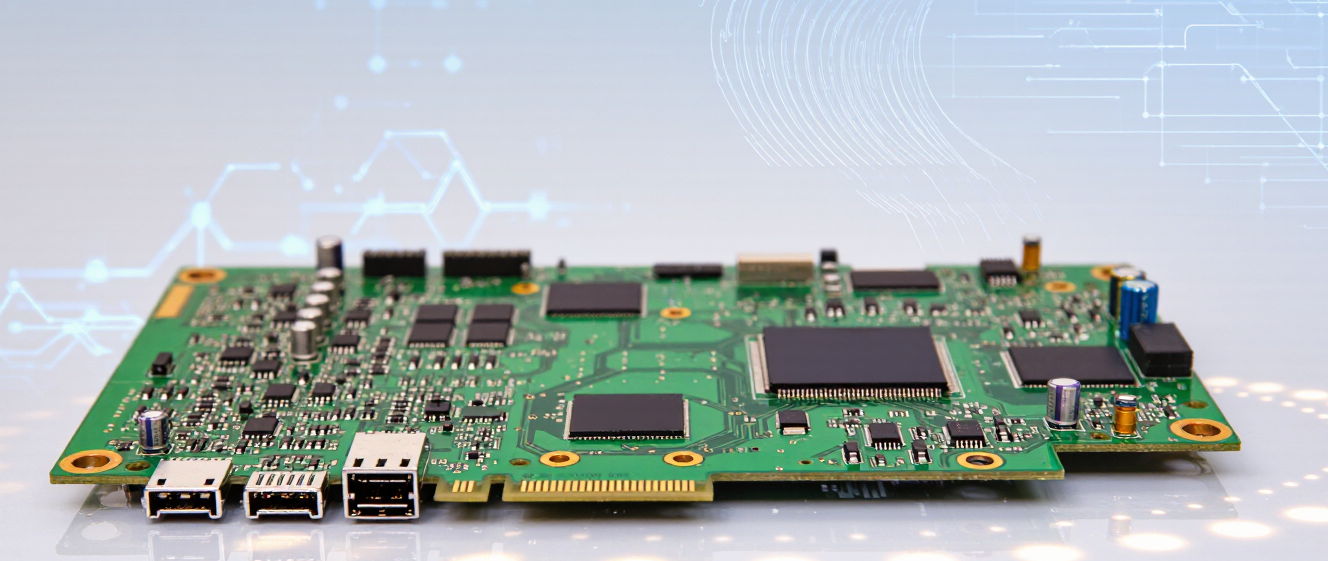
Server Motherboard Sizes: Why One Size Doesn’t Fit All (Even When It Seems Like It Does)
Why Your Server Isn’t Playing Nice With Its Hardware
Ever tried slipping a large puzzle piece into a tiny gap? That’s what mismatched server motherboard sizes feel like. Turns out, “one size fits all” is a myth—even when everything looks plug-and-play.
I remember walking into a colocation center years ago, excited to upgrade my server. I thought I’d grab any ATX board off the shelf. Spoiler: the rack wouldn’t close. Lesson learned.
Form Factors Aren’t Just Jargon
Server motherboard sizes dictate everything from cooling efficiency to expandability. Think of them like vehicle frames—cars aren’t all built the same, right? A compact car fits in tight spaces, but a truck hauls loads.
- E-ATX boards offer room for multiple GPUs (hello, AI rigs!)
- Micro-ATX saves space but sacrifices expansion slots
- SSI EEB is the monster truck of server boards
The Real-World Tradeoffs
Here’s the thing: bigger boards = more features. More features often mean higher power use and heat. But if you’re running a basic file server? Oversizing is like parking a semi-truck in a compact lot.
| Form Factor | Size (inches) | Best For |
|---|---|---|
| Mini-ITX | 6.7 x 6.7 | Edge computing/small offices |
| ATX | 12 x 9.6 | General-purpose servers |
| EEB | 12 x 13 | High-density compute tasks |
How to Pick Without Panic
Ask yourself: Do I need 8 PCIe slots now or later? Is thermal noise a concern? What’s your ceiling height? (Serious question—my old server melted a cable tray.)
Bottom line: Match the board to your workflow, not the trendy rack. And hey—if you’re still unsure, ask a pro. Or stare at your specs until your eyes cross. Either works!
What's Up With Server Motherboard Sizes?
When you're diving into building or upgrading a server, you might think "bigger means better." Honestly? At first, I thought that too. But after messing around with enough hardware, I've learned that bigger doesn't necessarily equal better when it comes to server motherboard sizes.
The Standard Sizes You'll Actually See
Here's the thing – not all server motherboards are created equal. You've got ATX (the classic), E-ATX (the beefy one), Micro ATX (compact), Mini ITX (tiny), and then there are the enterprise-specific ones like SSI CEB and SSI EEB.
Each size has its own purpose. Sure, E-ATX gives you more slots and room to expand, but here's where it gets interesting – sometimes you don't actually need that extra space. Or power. Or maybe you need something that fits in a smaller case because rack space is premium real estate.
When Bigger Really Is Bigger (But Not For Every Case)
Don't get me wrong – there are situations where you want that big board. Need six PCIe slots for GPUs? More RAM channels? Then go full E-ATX or SSI EEB. These setups shine when you're running workstations, heavy rendering rigs, or databases that literally can't breathe without headroom.
But hold up. What if your server just needs to run quietly in a corner office? What if you're dealing with virtualization where each VM barely breaks 2 cores? Suddenly that massive board looks kind of wasteful, right? That's when Micro ATX or even Mini ITX starts making sense.
The key is matching the hardware to what you actually need, not what you think you should have. Trust me on this one.
Space, Power, and Cooling Matter Too
Here's something people forget – bigger boards eat more space, pull more power, and generate more heat. In tight server racks, that's a problem. Those thermal management headaches become real when you're pushing gigabytes per second through dozens of threads.
Smaller server motherboard sizes often come with smarter power efficiency. Some modern boards even support dynamic CPU throttling to save electricity. So yeah, going compact might cost you some expandability, but it buys you something cooler, quieter, and greener.
Making The Decision Without Losing Your Mind
Still confused? That's okay. I was too until I started asking myself: What's my workload? How many expansion cards do I need? Will this sit in a 1U chassis or a sprawling tower? Once I answered those questions, everything clicked.
Your budget matters too. High-end E-ATX boards aren't cheap, and if you don't use half their features, why pay for it? Sometimes the mid-range ATX option does the job just fine without breaking the bank.
Bottom line: Don't let marketing convince you that biggest equals best. Pick the right tool for the job, and your future self will thank you when you're troubleshooting instead of crying over wasted money.
What Are Server Motherboard Sizes Anyway?
You’ve probably stared at two seemingly identical computers and wondered—why does one fit neatly while the other barely squeaks into the same space? Well, let’s talk about something most people overlook until it’s too late: server motherboard sizes.
I’ll admit, I once tried plugging a massive board into a compact server rack and… well, let’s just say my coworkers didn’t believe me. Turns out, server motherboard sizes go far beyond just measurements. They dictate everything from airflow to expansion capabilities.
Not All Boards Are Built the Same
Standard desktops love ATX. But servers? Oh, they’ve got their own drama. Think E-ATX, SSI CEB, EEB—or sometimes proprietary sizes tailored to specific brands. Each form factor screams a different purpose. Want maximum storage? Look for bigger boards. Need a tight fit in a data center? Smaller wins.
Space Constraints in Server Rooms
- Rack servers favor low-profile designs to stack efficiently.
- Tower servers can afford bulkier boards but still care about cooling.
- Check clearance! A 20-inch motherboard won’t hide in a 15-inch chassis.
Cooling and Power Considerations
Bigger boards often mean more components—and heat. If you’re cramming ten drives and dual GPUs into a tiny footprint, forget trying to cool it with a $30 fan. Match your motherboard size to your PSU and cooling solution, or watch temps creep up faster than you’d expect.
Expansion Needs: Do You Actually Need Slots?
Think PCIe slots like parking spaces. Small boards = fewer spots. Large ones? Parking lot status. If you need eight GPU setups, maybe skip the micro-ITX dream. But if you’re running basic tasks, squeezing into a smaller form factor saves room without sacrificing much.
A Quick Checklist Before Buying Anything
Before you click “order,” ask yourself: Does this fit my rack? Will future expansions break the thermal balance? Am I paying for features I’ll never use? Trust me, hindsight’s cheaper than upgrading after the damage is done.