What Does a Motherboard Actually Do? Let's Cut Through the Noise
So You're Building a PC And Wondering...
What does a motherboard actually do? Yeah, I asked myself this too when I was first starting out. Like, sure, you've got your GPU doing all the heavy lifting for gaming, but what's even the point of this big circuit board everyone keeps talking about?
Here's the thing - when I look at r/buildapc on Reddit, people get so caught up on specs that they forget to ask what does a motherboard actually do in the grand scheme of things. It's not just about having slots and ports - there's real purpose here.
Think Of It As Your PC's Nervous System
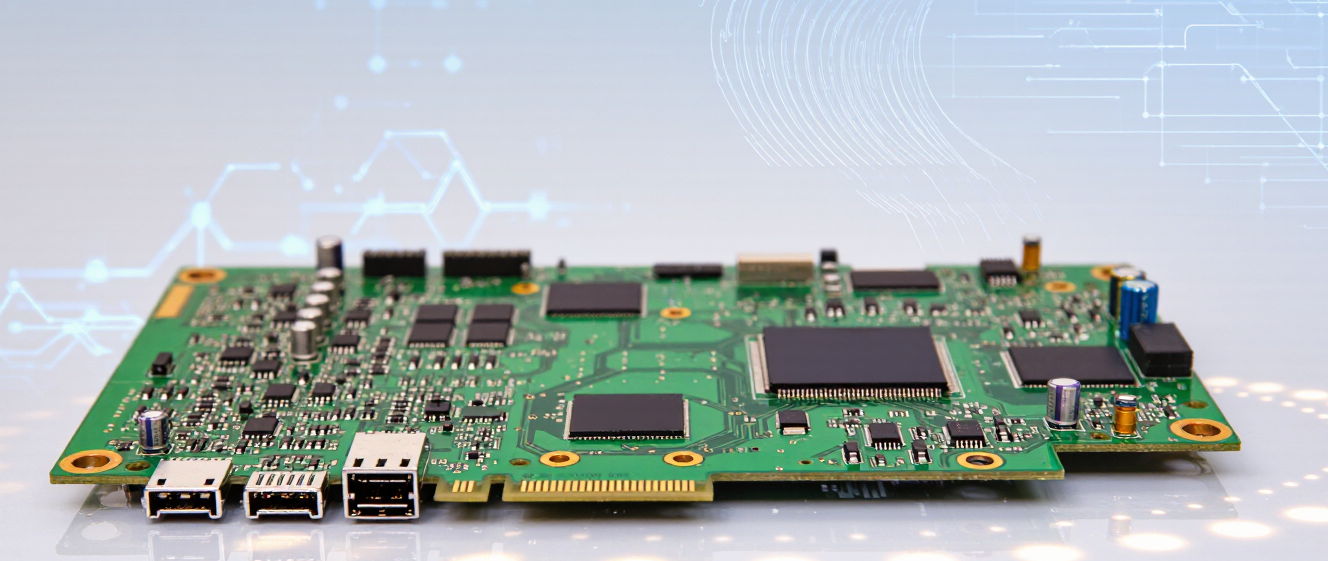
I found it helpful to imagine the motherboard as the backbone of your entire build. Everything plugs into it. CPU, RAM, graphics card, storage drives - it's where they all meet and start talking to each other.
Without it? Well, you've got components sitting around that can't communicate. No boot, no nothing.
It Powers All The Connections
Data doesn't magically teleport between components. The motherboard sends signals along those tiny copper traces you see underneath everything. That's why some boards are better than others - they handle traffic more efficiently.
This is also why chipset matters. B-series vs Z-series vs X-series isn't just marketing fluff - it determines what connections get priority.
| Component | Connects Via | Why It Matters |
| CPU | Socket | Direct processing power access |
| RAM | DIMM Slots | Memory speed and capacity limits |
| GPU | PCIe Slots | Bandwidth affects performance scaling |
| Storage | M.2/SATA | Load times and multitasking capability |
VRMs Are More Than Just Extra Circuitry
You hear VRMs thrown around in discussions about what does a motherboard actually do for overclocking enthusiasts. Power regulation modules deliver stable electricity to your processor - if yours can't keep up, voltage spikes could damage your CPU.
Not every build needs beefy VRMs, but if you plan on pushing limits, check them out.
Your Connection Point to the Outside World
USB ports, ethernet, audio jacks, WiFi antenna connectors - everything external connects back to the motherboard first. That's why cheap motherboards with limited connectivity options can become frustrating bottlenecks later.
At first I didn't care much about USB port locations. Then I realized how annoying it is to reach behind my case every time I want to plug something in.
It Determines What You Can Upgrade
Say you buy a newer CPU tomorrow. Will your current motherboard support it? That depends entirely on socket compatibility and BIOS updates. Some boards last years, others need replacement with every generation change.
This is probably the most overlooked factor when people search "what does a motherboard actually do" - future-proofing potential.
Look, after putting together several builds now, I've learned that the motherboard isn't just passive infrastructure. It actively shapes what your system can do and how well components perform together. So next time someone says pick a good motherboard, remember - you're choosing your build's communication hub.
And yeah, sometimes the noise gets overwhelming. But once you understand what it actually does, it becomes less intimidating.
So You're Building Your First PC
You've seen all those specs, right? CPU, RAM, GPU... but then there's this thing called a motherboard, and honestly, at first I had no idea what makes it so important. If you're wondering what does a motherboard actually do, you're definitely not alone. It sounds fancy, and trust me, I used to skip over this part entirely.
Here's the deal though - after diving deep into some r/buildapc threads and actually assembling my own rig, I finally get it. Think of it like a city infrastructure map for all your components. Without it, nothing connects, nothing works together.
Why It Matters More Than You Think
Okay, I know what you're probably thinking: "Just connect everything!" But here's where things get interesting. The motherboard isn't just some piece of circuitry holding parts together. It's the actual highway system between your processor, memory, storage, graphics card... literally everything inside your case.
I remember scrolling through Reddit, seeing people ask why their system wouldn't POST or keep randomly rebooting. Turns out, half the time it came down to motherboard quirks - BIOS settings, VRM quality, even just how many USB ports they were trying to jam in one afternoon.
It Handles Communication Between Parts
This was the moment it clicked for me. Your CPU talks to RAM through the motherboard. Your GPU sends data back to storage through it. Every single interaction happens over these tiny copper pathways etched onto the board itself.
Pretty wild when you think about it. That's why cheaper boards sometimes struggle with high-end CPUs - they literally don't have the electrical bandwidth to handle all that traffic smoothly. Which also explains why enthusiasts spend hours researching chipsets before buying anything.
Power Management & Expansion
Another thing nobody mentions enough: power delivery. The motherboard regulates voltage going to every component. Get that wrong and yeah, you could fry your whole build overnight. Ouch. Not a fun way to learn, I promise.
And expansion slots! This is where you plug in extra stuff beyond just basic operation. NVMe drives, sound cards, WiFi adapters... all depending on what your motherboard supports. Some boards have ten different M.2 slots built in. Makes sense if you're doing heavy storage work, right?
Form Factors Matter Too
Speaking of fitting everything together, you can't just grab any random board and throw it in your case. ATX, Micro-ATX, Mini-ITX - these aren't just marketing terms. They determine physical dimensions, how many expansion slots you get, and whether certain components will even physically fit alongside each other.
I once tried putting an E-ATX board in a standard case because I didn't check measurements. Spoiler alert: it didn't work. Had to return it and figure out the correct form factor. Painful lesson learned.
Final Thoughts From Someone Who Learned
Looking back at all those hours reading forums and watching teardown videos, I'd say understanding what does a motherboard actually do changes how you approach building a PC. Suddenly it's not just another box to tick on your shopping list.
It becomes the foundation you're building everything around. Whether you're a casual gamer or someone pushing workstation-level performance, your choice here impacts stability, upgradeability, and how long your whole setup stays relevant. Don't underestimate it.
What Does a Motherboard Actually Do?
When I first opened up my gaming PC, the motherboard looked like a giant puzzle. You've probably asked yourself, what does a motherboard actually do? It\u2019s more than just a board holding parts together\u2014it\u2019s the backbone that connects everything.
Why Connections Matter
Think of it as a city\u2019s power grid. If cables snap, lights go out. On your PC, loose GPU connections cause crashes. I once had random restarts until I reseated the RAM\u2014seemed simple, but missed it!
-
CPU talks to RAM through sockets
-
GPU links via PCIe lanes
-
Storage drives plug into M.2 slots
Reddit threads on r/buildapc often debate whether expensive boards matter. Spoiler: Yes, but not because of fancy RGB. Quality connectors and VRMs prevent throttling under load. My cheapo board overheated during benchmarks\u2014waste of CPU potential.
Beyond Performance
It\u2019s not just speed. BIOS updates fix bugs. Compatibility checks avoid headaches. Once, an outdated chipset driver crashed my system daily. Upgrading fixed it silently. Always read manuals!
In short: A motherboard isn\u2019t flashy, but it\u2019s critical. Whether you\u2019re a builder or upgrading, understanding its role saves time and cash. Next time you hear \u201cwhat does a motherboard actually do\u201d, you\u2019ve got the answer.
What Does a Motherboard Actually Do?
You know that moment when you're scrolling through r/buildapc Reddit and suddenly everyone's throwing around terms like "socket type," "chipset," and "VRM phases"? Yeah, we've all been there.
So let's cut through the noise and figure out what a motherboard actually does without getting into a PhD-level discussion.
The Short Answer (No One Will Care)
A motherboard connects everything together. CPU, RAM, GPU, storage—everything plugs into it and talks to each other through tiny copper pathways called traces. That's literally it in plain English.
Think of it like a big city's road network. Your components are buildings, and the motherboard is all the streets connecting them so traffic can flow.
What People Actually Ask About
Q: Can any CPU work with any motherboard?
At first, I wasn't sure either until I tried installing an Intel chip on an AMD board in a friend's computer. Spoiler alert: It didn't fit anywhere near where it was supposed to go.
Q: Does a more expensive motherboard matter?
This one depends on your situation. If you're building a $1,200 gaming PC, spending $300 on a Z-series board might be overkill unless you plan to overclock seriously.
Q: What happens if the chipset matters?
Here's what matters most to me personally: If you want RGB lighting and fancy audio, spend extra. If you just want your PC to boot up, don't waste money on features you'll never touch.
Things That Won't Break Your Build
I used to stress about standoffs until my old mentor told me to stop worrying so much. As long as you're careful during installation, you're fine.
The only things I genuinely worry about are bent CPU pins and not applying enough thermal paste. Everything else is basically optional extras nobody uses anyway.
Final Thoughts From Someone Who's Done This Before
Look, I built my first PC in 2015 and spent way too much time reading build guides. What actually helped was just picking parts that were compatible and moving on.
Real Questions People Actually Ask on r/buildapc
If you check what people search for regarding "what does a motherboard actually do rbuildapc reddit", these are consistently the top concerns:
How to choose a motherboard for my budget?
What's the difference between ATX and micro-ATX boards?
Do I need WiFi on my motherboard?
Will this board support future upgrades down the line?
See? Most of these boil down to compatibility and value—not which brand has the prettiest RGB lights.
And hey, if you're still confused after all this, just remember: Google the CPU model first, then find boards that list it as compatible. Problem solved.
Happy building! 🖥️
Why the Motherboard Confuses Everyone
I still remember the first time I built a PC—I was drowning in cables and tiny screws, wondering why anyone cared about the big board everyone kept mentioning.
Turns out, the motherboard isn't glamorous, but it's everything. If you've ever searched "what does a motherboard actually do" on Reddit or stumbled through r/buildAPC threads, you've probably noticed people obsessing over it. Spoiler: You need to understand it, but not memorize every spec.
Here's my take: Think of it like your home's electrical panel. It doesn't power appliances directly, but without it, nothing works. Same for a PC.
What It Actually Connects
The Component Highway
Your CPU, RAM, GPU—these parts *need* a place to plug in. The motherboard is where they all meet. Without it, your processor is just a metal brick, and your graphics card? Useless.
- CPU Socket: Holds your brain (processor) in place
- RAM Slots: Where memory lives temporarily
- PCIe Lane: Gives GPUs and SSDs breathing room
Fun fact: Not all boards are created equal. A $50 budget board might struggle with high-end gear. It's like trying to run a racecar on gravel roads.
Power & Data Flow
Think electricity as the lifeblood. Your PSU sends juice to the board, which distributes it to components. No motherboard = no power path. Simple as that.
Data moves the same way. When you press a key, signals zip across copper traces to your CPU. Fast boards handle this better, which is why gamers care about PCIe lanes.
The BIOS: Tiny Controller
That creepy-looking chip labeled "BIOS"? It tells hardware how to play nice. Update it wrong, and you're bricks. Trust me, I've learned this the hard way.
Why It Matters When Building
When you search what does a motherboard actually do on forums, people argue about wattage, chipset types, and VRMs. Here's the truth: Pick one that fits your needs. Don't overspend unless you're overclocking daily.
I once bought a flashy board with RGB fans and ignored reviews. Turns out, its VRMs overheated during heavy loads. Lesson: Specs matter more than looks.
Bottom line: Motherboards aren't sexy, but they're the foundation. Treat it right, and your PC runs smooth for years.