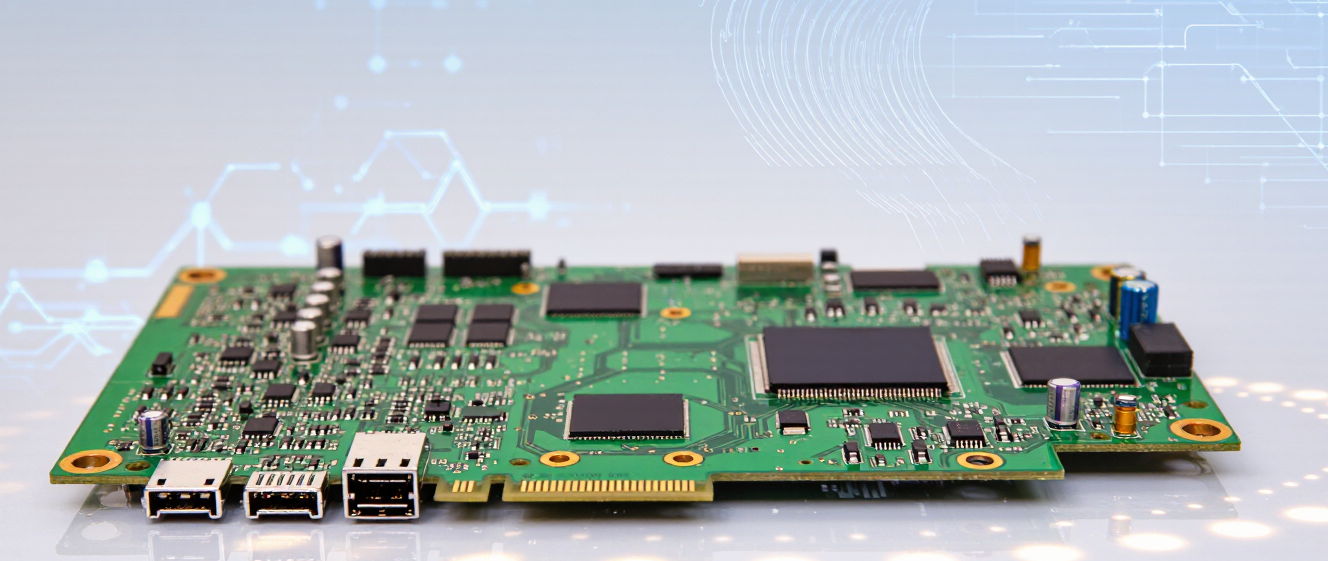
When Your PC Motherboard Battery Gives Up – What You’re Really Dealing With
That Annoying Boot Error Sound
You know the drill. You hit the power button, and instead of the usual startup sequence, you get a little beep, then some gibberish on the screen saying "System CMOS Checksum Error."
If that hasn't happened to you yet, lucky you. But honestly? It’s not as scary as it sounds. We often panic thinking we’ve fried a $300 motherboard, when the real culprit is usually something smaller than a thumb nail.
What Is This Tiny Coin Anyway?
Inside every desktop PC, there is a small, silver coin battery sitting on the board. Tech geeks call it a CR2032, but most of us just know it as the pc motherboard battery.
It doesn't run your computer—that's the power supply's job. Instead, it powers the BIOS chip, which remembers your hardware settings and keeps track of the time.
-
Keeps the clock ticking when the PC is off
-
Saves custom fan speeds and overclocks
-
Retains boot priority settings
At first, I wasn't sure how long these things lasted. Turns out, they're designed to stick around for years, sometimes five or more, depending on how old your rig is. But eventually, chemistry wins, and it just stops holding a charge.
Does It Kill Your Computer?
This is the big question everyone asks. If the battery dies, can I just toss the whole tower away? Spoiler alert: absolutely not.
Your pc motherboard battery is more like a reminder than a lifeline. Once it goes flat, the settings just reset to factory defaults. Windows might take a second longer to boot, and you'll lose your customized RAM timings if you had any.
Sometimes, the time gets wiped out too. You open Chrome, and suddenly you're in 2005. Not a huge deal, just means you miss the latest news for a minute until you connect to Wi-Fi.
Honestly? It’s incredibly easy to fix. You pop the back panel off, find the battery on the board, swap it out with a coin-cell from the electronics store, and you’re back in business. It costs less than a coffee.
So, don't stress next time the screen flashes an error. It's just asking for a tiny recharge. Happy computing!
Is Your PC Acting Odd After Turning Off? It Might Be Time
Ever noticed your computer won’t remember settings after you shut it down? Or maybe the clock resets every time? It could be your pc motherboard battery saying goodbye.
I’ve been there. One morning, I woke up to my PC yelling “system time wrong” and missing all my BIOS tweaks. Panic! But guess what—it wasn’t a hardware disaster. Just a tiny coin-cell battery doing its job until it couldn’t anymore.
What’s That Silver Disk Doing Anyway?
That little button-sized battery on your motherboard is the CMOS battery. It keeps the clock running and saves settings even when your PC is unplugged. Think of it as a memory backup. Without it, your system forgets everything—from date/time to startup sequences.
People often confuse this with your laptop’s main battery or PSU. Nope! The pc motherboard battery only powers basic functions and typically lasts 5–10 years. When it finally dies, symptoms pop up suddenly—but fixing it is easier than you’d think.
Myths You Probably Believed
Your PC won’t boot after shutdown. Solution? A fresh battery fixes it!
You need to replace half the motherboard. False! One swap often works.
BIOS errors mean permanent damage. Usually, it’s just the battery giving up.
I wasted hours troubleshooting boot errors before learning this trick. Replace the battery, reset BIOS defaults—and *voilà*. Cost? Under $5. Time saved? Hours.
Fans spinning oddly? Random crashes? First step: check that tiny battery near the CPU socket. Look for a CR2032 label—if yours matches, congratulations! Swapping it takes minutes. Unplug the old, slot in the new, reboot.
Still stuck? Maybe it’s not the battery. But 9/10 times, a fresh pc motherboard battery solves the mystery. Don’t sweat it. Small fix, big relief.
When Your PC Motherboard Battery Gives Up – What You're Really Dealing With
PC motherboard battery issues usually catch us off guard. One day everything works fine, and the next your computer acts all weird without any obvious warning.
We've all been there—you try booting up your rig after a quick update or restart, and suddenly you're staring at some cryptic error message or a blank screen that won't let you in. I still remember the first time my machine started doing something strange. At first, I thought it was Windows being... well, Windows.
It Goes Way Beyond Just BIOS Resetting
Sure, losing BIOS settings is probably the most common symptom you'll encounter. Your system clock resets, boot order disappears, and maybe even your fan control profiles vanish. But here's the thing—that's only the tip of the iceberg.
Some users report their computers refusing to boot entirely once the battery gives out completely. Others experience intermittent shutdowns or random reboots. It varies depending on your motherboard and how dependent it is on that little cell for maintaining certain functions.
How Do You Even Know It's Dead?
Most people don't realize their pc motherboard battery has failed until something breaks. They're those coin-sized cells, usually CR2032, tucked away on your board somewhere, rarely mentioned unless problems pop up.
Watch for these signs: date/time keeps resetting every time you power down, Windows updates fail repeatedly, or you get weird hardware errors before anything actually boots up properly. Some boards even give you a dedicated LED that lights up when the battery gets low—but not all do, so don't count on that.
What About Your Important Data and Settings?
Here's where things can get messy. If you rely heavily on custom BIOS configurations—like overclocking profiles, specific voltage tweaks, or advanced cooling curves—your hard work disappears overnight. I lost an afternoon worth of tuning once because I didn't check that tiny battery.
But good news: your actual stored data stays safe. Files on your SSD or HDD aren't affected directly. The main risk is that if your BIOS corrupts during a critical moment, you could lose access to encrypted partitions or struggle getting into recovery mode.
Is It Easy to Fix?
Replacing a dead pc motherboard battery is actually straightforward for most desktop owners. You just pop open the case, find that round coin cell on the board, slide it out, and stick in a fresh one. Takes five minutes if you have the right screwdriver handy.
Laptop users sometimes face more of a challenge since batteries are often hidden under keyboards or integrated circuits. In those cases, you might need to take apart half the device. Don't panic—it's still doable, just requires patience.
Pro Tips to Avoid Future Headaches
I've learned a few lessons the hard way. Keep spares around whenever possible. Buy from trusted brands since cheap batteries die faster than expected. Consider backing up your BIOS settings periodically using manufacturer software—if your board supports it.
Also, think about replacing the battery annually if your computer sits unused for months. Even without heavy usage, these cells degrade over time regardless of how much power they deliver. It's better proactive maintenance than reactive frustration.