Your AC is Acting Up—Here’s What Might Be Wrong (And How to Fix It)
When Your Air Conditioner Acts Weird
Air conditioning systems are tough, but sometimes they get moody. You turn on the fan, wait for the breeze, and… nothing happens. Maybe it blows warm air instead. At first, I wasn’t sure why either.
It depends on the situation. Sometimes it's simple, like a dirty filter. Other times, it's something technical inside the unit. Here is how you can troubleshoot step by step.
Step 1: The Easy Checks
Before tearing into the machine, try these basics. You’d be surprised how many times people miss these small details.
Is the power switch on?
Are the air filters clean?
Did the circuit breaker trip?
Fixing these is easy. If the breaker keeps tripping, though, move to the next step.
Step 2: Listen to the Unit
Go outside and listen. A normal hum means good things. Clicking? Buzzing? That sounds different. These noises often point to electrical problems.
For example, if you hear a loud buzz then silence, the compressor might be struggling. This is where we suspect the electronics deeper inside.
Step 3: Look at the Control Board
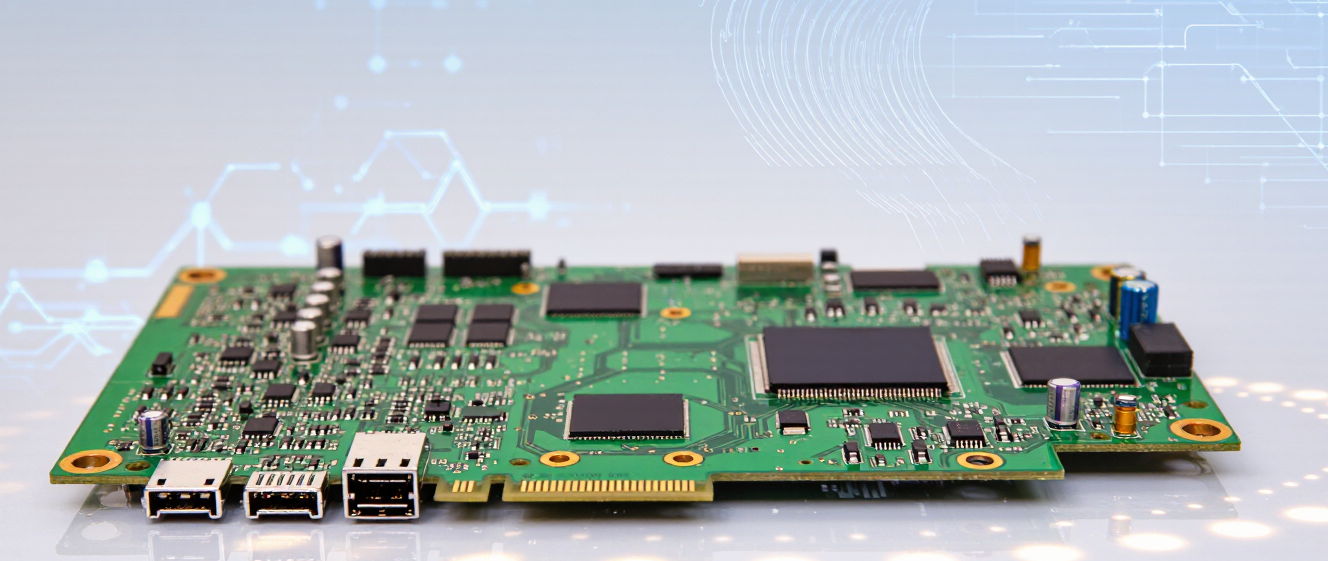
If the noise persists, the issue could be with the ac control board. This little green circuit manages the signals between your remote and the machine.
Does it show error codes?
Are lights flashing strangely?
Does the smell smell like burnt plastic?
Burnt smells are never a good sign. If you see corrosion on the board, it definitely needs attention.
What Should You Do Next?
If you aren't comfortable with electronics, call a pro. They have the tools to test voltage safely.
But now you know what parts are involved. Knowing about the ac control board helps you explain the problem clearly to the technician so they don't guess too much.
Stay cool this summer. Start simple, and trust your gut when it gets technical.
Is Your AC Not Cooling? Start Here
When your AC starts misbehaving, the last thing you want is to panic and call a repair tech immediately. Before you do that, there are a few quick things you can check yourself. Many times, the problem is something simple you can fix in minutes.
Step 1: Double-Check Your Thermostat
The thermostat seems obvious, but trust me, I’ve been tripped up by this before. Is it set to “cool” and not “heat”? Sometimes it’s accidentally switched. Also, batteries dead? Replace them. If it’s digital, try resetting it.
-
Ensure mode is “cool”
-
Check for low battery warnings
-
Restart the unit after changes
After adjusting, give it 10 minutes. If airflow feels warm or weak, move on.
Step 2: Inspect the Air Filter
A clogged filter strangles your AC. Think of it like breathing through a straw. Grab yours—it’s usually near the return vent. If it’s gray and dusty, swap it out. Clean filters help efficiency and prevent strain on the system.
“Changing my filter saved me $100 in unnecessary repairs,” says Tom, a neighbor who faced this exact issue. He said it made the room feel cooler faster.
Step 3: Flip the Breaker
Tripped breakers happen. Find your electrical panel, look for the switch labeled “AC.” If it’s mid-position, flip it off, then on. Wait 5 minutes. This resets any power glitches causing shutdowns.
When to Call a Pro Instead
If you’ve done all three steps and the AC still acts weird, the issue might be internal. For example, a faulty ac control board won’t show up in basic checks. That’s where technicians come in—they diagnose complex electronics safely.
Remember, minor fixes save money long-term. But don’t force it! If you’re unsure, let a professional handle it. Better safe than sorry with your home comfort.
You Know That Feeling When The AC Stops Working
Honestly, nothing screams panic quite like hot air blowing from your vents on a scorching summer afternoon. You turn the dial, you wait, and nothing happens. Your first instinct is to buy a replacement thermostat.
Save your money for now. There are bigger fish to fry. Sometimes, replacing the thermostat won't actually solve anything. Let's walk through why that is.
Step 1: Check the Basics First
Before we tear apart your wall unit, look at the simplest settings. Is the fan set to auto? Is the temperature lower than the room heat? Sounds silly, but people miss this all the time. It really does save a headache later.
Step 2: Look Inside the Furnace
Sometimes the issue is electrical. When you open the panel, look for the ac control board. This piece of tech tells your compressor when to kick on. If the LED lights are off or flashing wrong codes, the thermostat didn't fail; the board did. Often, homeowners replace the thermostat multiple times because they assume that is the command center. In reality, it is just a messenger.
-
Sparks flying near the wiring
-
Strange buzzing noise during startup
-
Unit won't power up despite fresh batteries
If swapping the controller changed nothing, stop guessing. Inspect the board. Clean the dust. Swap a fuse if you can safely do it. Your AC is complex. Blaming the thermostat is too simple. Always investigate the ac control board next. If you smell burning plastic, call a pro immediately. Stay cool, stay smart.
When It’s Time to Swap Out the Whole Control Board
You’re staring at your AC, wondering why it’s blowing hot air while the thermostat reads 70°F. Maybe the outdoor fan spins erratically, or the indoor blower hums but won’t kick in. Frustrating, right? At first, I wasn’t sure what to blame, but after troubleshooting too many units, I’ve learned one thing: sometimes the ac control board is the silent villain.
It’s tempting to replace tiny parts first—a capacitor here, a sensor there—but if the brain of your system (the control board) is fried, nothing else matters. Here’s how to know when to stop guessing and start swapping.
Step 1: Watch for These Obvious Warning Signs
Your ac control board won’t scream “Replace me!” unless you’re watching closely. Start by noting irregularities:
-
The AC cycles on/off unpredictably, even when temperatures are stable.
-
Error codes flash repeatedly (check your manual!). For example, a blink pattern that means “communication failure.”
I once spent hours fixing a broken fan motor, only to realize the control board couldn’t send power properly. Don’t skip this step.
Step 2: Eliminate Simpler Problems First
Before tearing into the board, check for low-hanging fruit. Power surges or loose wires can mimic board failures. For instance:
-
Try resetting the thermostat. A dead battery or faulty sensor can cause false alarms.
-
Inspect wiring connections near the board. Burnt connectors often look suspiciously like board damage.
If those don’t fix it, maybe it’s time to dive deeper. But hold your horses—there’s still a safety check!
Step 3: Safety Comes First
Turning off the power isn’t just good advice—it’s mandatory. Shut off the breaker feeding your AC unit. Wear rubber gloves, and don’t trust your eyes alone; use a voltage tester. Trust me, I’ve seen too many sparks fly from complacency.
Step 4: Test the Board (If You Dare)
A multimeter can test resistance across terminals. Compare readings to the spec sheet—if they’re off, the board’s probably toast. But here’s the catch: diagnosing requires confidence. If you’re nervous, call a pro. Some boards fail intermittently, leaving clues like burnt chips or warped circuits.
Step 5: Repair or Replace?
If your AC is older than five years, ask yourself: Is repairing the ac control board cost-effective? Newer units might be cheaper long-term. And remember, boards aren’t interchangeable—matching models matter.
Sometimes, I’ve walked away from a repair job just to save money later. A new board fixes the immediate issue, but if the rest of the system’s worn, upgrades could be smarter.
Bottom line? Trust the signs. If your AC behaves oddly and other parts check out, the ac control board might be your next target. Just don’t rush—take your time, stay safe, and when in doubt, call the experts.