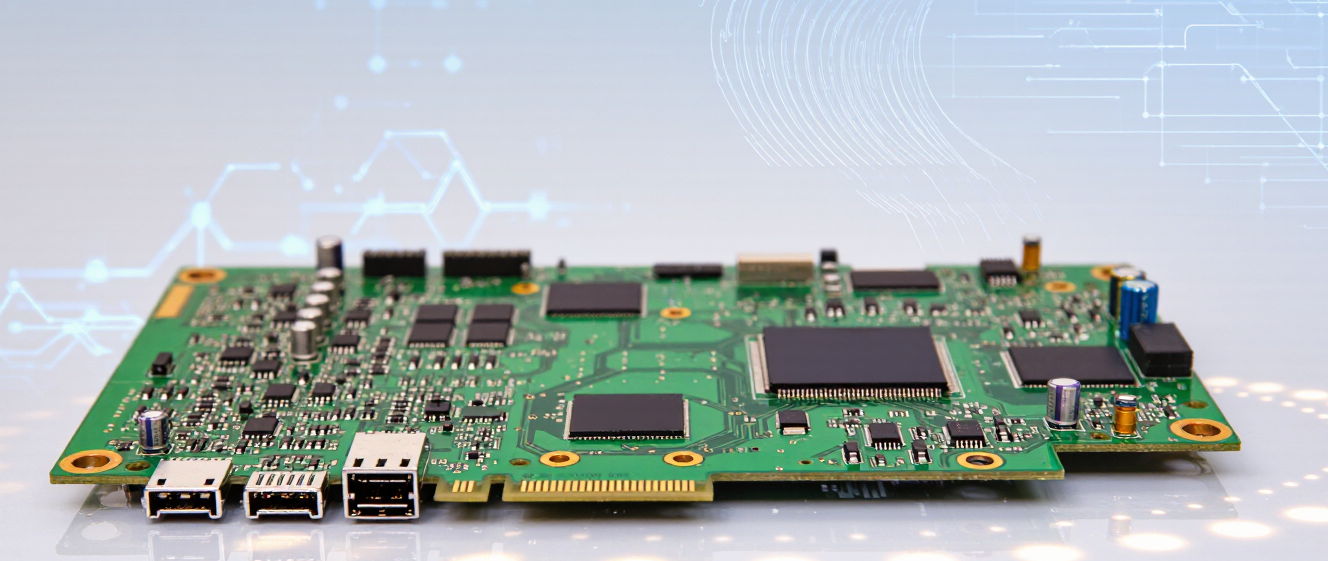
Your Apple Watch Won’t Turn On? It Might Be the Motherboard (Here’s What That Means for Smartwatches)
Hey, Is That Your Apple Watch Acting Up Again?
You know the feeling: you tap your wrist expecting health stats or messages, but… nothing. Screen stays dead. At first, you blame a drained battery or a glitch. But what if it’s something bigger? Like the apple watch motherboard throwing a fit? Yeah, we get it. Frustrating.
Here’s the thing—most of us don’t even *think* about circuit boards until our tech stops working. But today, we’re breaking down exactly what happens when that tiny chipboard gets fried.
Why Your Watch Could Suddenly Die
Dropped it? Got caught in rain? Those little “oops” moments often lead to motherboard trouble. Water damage or physical trauma can short-circuit components. Symptoms usually show up as:
• No power even after charging
• Random shutdowns during workouts
• Black screen forever
Sound familiar? I had a friend whose watch started acting weird after a hike in the rain. Turns out, the smartwatch motherboard had corrosion. Oof.
Is the Motherboard the Real Villain?
Imagine trying to drive a car with a blown engine. That’s what a fried motherboard does to your device. It controls everything: sensors, connectivity, even basic display functions. If it’s compromised, the odds of full functionality drop drastically. BUT—sometimes minor fixes help!
Can You Still Use It After Damage?
Short answer? Usually no. Major motherboard damage = goodbye features. Think GPS, heart rate monitoring, even unlocking your phone via Bluetooth. Some users report temporary hope if it boots briefly, but crashes soon after.
Pro tip: If you spot burnt smells or scorch marks, shut it down immediately!
Repair Hype vs Reality
DIY kits promise miracles (and cost $40). Big question: Does it stick? Apple rejects third-party parts in some regions. Better to check warranties or visit authorized service centers. Here’s a quick comparison:
| Option | Cost | Warranty? |
|---|---|---|
| Official Service | $300-$500 | Yes (usually) |
| Third-Party | $150-$300 | Rarely |
How About Other Smartwatches?
Good news: Brands like Samsung or Garmin design some models with replaceable batteries (not so much the motherboard!). Fitbits are trickier—they lean heavily on integrated systems. Overall, the smartwatch motherboard issue affects them similarly, but repair costs vary wildly.
Preventative Love Saves Lives
Waterproof ≠ waterproof-proof. Keep it away from saunas and avoid dropping it mid-workout. Regular software updates also patch bugs that stress hardware. Oh, and invest in a rugged band—it’s cheaper than a new watch!
Final Thoughts?
If your apple watch acts up, don’t panic. Diagnose carefully before jumping to conclusions. Sometimes it’s just a reset away. But motherboard drama? That’s costly. Prioritize prevention, and always weigh repair vs. replacement costs.
Have any horror stories? Drop your tales below—we’ve all been there!
Why Your Apple Watch Is Dead And Why You Should Care
Apple Watch just gave up mid-scroll through your fitness stats. No charging cable drama, no accidental drops—just pure silence. You're staring at a black screen wondering if it's the battery again. Spoiler alert: sometimes it's the smartwatch motherboard quietly throwing a party you didn't invite it to.
The Sneaky World of Motherboard Malfunctions
Picture this: your Apple Watch acts weird before dying. Maybe it skips steps, loses Wi-Fi connections randomly, or heats up like a summer sidewalk. That's the smartwatch motherboard whispering "hey, something's off" before slamming the door shut. I've seen folks blame dead batteries only to find their boards were basically doing magic tricks.
-
Charging port works fine, but power won't hold
-
Screen flickers even after software updates
-
Sudden shutdowns during workouts (because why not?)
Here's the thing nobody tells you: smartwatch motherboard repairs are like untangling Christmas lights. One wrong move and suddenly you've got a whole new mess. My friend Sarah nearly fried her band when she tried swapping connectors herself. She came to me looking like someone who'd lost a bet with gravity.
Should You Panic? (Spoiler: Not Yet)
Before assuming it's the Apple Watch's brain giving out, try these:
1. Force restart (long press crown + side button)
2. Check charger connections
3. Wait it out—some boards need a nap after storms
If nothing works? Time to call pros. Those tiny circuit boards aren't built for DIY courage.
Look, smartwatch motherboard issues feel personal when you rely on your tech daily. But remember: modern electronics are stubborn, not stupid. Sometimes a board just needs backup breathing room. Next time yours goes dark? Take a deep breath—and maybe a photo of the error code. Knowledge beats panic every time.
What Happens When Your Smartwatch Motherboard Acts Up?
Hey there! If you're reading this, chances are your Apple Watch has suddenly gone dark on you. Nothing, absolutely nothing, happens when you press that side button. And before you go reaching for your wallet to replace the entire smartwatch motherboard, let's take a breath together.
I remember being in this exact situation last month—my watch just refused to wake up no matter what I tried. Panic set in fast because that thing was my daily companion for workouts, calls, and sleep tracking. But here's the thing: swapping out the motherboard might not actually solve anything in some cases.
Before You Blame the Motherboard
First off, not all dead watches equal broken motherboards. Seriously, so many times people assume it's something major without checking the basics. Could it be a completely drained battery? A charging cable issue? Sometimes even a simple software glitch freezes everything up.
At first, I wasn't sure either way about where my problem lay. I had already started Googling "Apple Watch won't turn on motherboard replacement" before taking a closer look. Turns out, I'd been using a worn-out charging cable that wasn't providing enough power.
Try different charging cables
Test with another power source
Wait at least 30 minutes for charging
Force restart the device properly
It depends on the situation, honestly. Some of these steps sound basic, but when stress hits, we forget them easily. Plus, saving money is always nice when it turns out the problem was something small like a frayed cable.
When Is Motherboard Replacement Actually Needed?
Okay, so now let's talk about when replacing the motherboard becomes the real deal. Usually, this comes down to water damage, physical impact, or components literally burning out inside your precious little device. Water damage especially can fry circuits instantly—so if your watch went for a swim unexpectedly, you might be looking at serious hardware problems.
Physical drops matter too. I know it sounds obvious, but sometimes we get careless. Drop your Apple Watch hard enough and internal connections can break apart. That's where things really do get complicated because then the motherboard itself could be compromised beyond repair.
Cost vs. Worth It Factor
Here's where it gets tricky though—replacing that smartwatch motherboard costs a pretty penny. We're talking hundreds of dollars potentially, which sometimes equals buying a brand new model. For older watches, this math rarely makes sense unless you're planning to keep your current one forever.
And here's something else to consider: after motherboard replacement, you might still face compatibility or performance issues. Newer Apple Watches pack a lot more tech into smaller spaces compared to earlier versions, and repairs aren't always straightforward anymore.
Better Alternatives Before Giving In
Before committing to expensive repairs or replacements, try reaching out to Apple Support directly. They can diagnose problems remotely sometimes. Also check if your device is still under warranty—this alone could save you from any repair bills whatsoever.
Another option worth exploring: authorized third-party repair shops often have better pricing than going straight through official channels. Just make sure you verify their credentials first. Nobody likes getting stuck with cheap parts that fail within weeks.
Bottom Line Thoughts on Motherboard Fixes
Replacing the motherboard apple watch component shouldn't be your first instinct when something goes wrong. Try everything else first—troubleshoot thoroughly, document what exactly happened right before failure occurred, and weigh your options carefully.
Smartwatch technology moves fast, and newer models offer improvements over older ones anyway. Sometimes upgrading beats repairing completely. Take time to think about whether spending big on fixes makes financial sense for where you stand now.
Hope this helps clear things up for anyone struggling with similar issues! Let me know what worked—or didn't work—in your experience dropping a comment below. Cheers!
That Moment When Your Watch Dies
Ever have one of those moments? You glance down to check the time, and suddenly... nothing. No screen glow, no haptic buzz, just a black rectangle that refuses to come back to life.
Okay, okay, I know—maybe try charging it first. I get it. We've all been there, frantically trying different cables, swapping outlets, the whole drill. But sometimes... sometimes you're pretty sure you've done everything right, and that stubborn little screen still won't budge.
When It's Not Just a Dead Battery
Here's the thing nobody really tells you upfront: sometimes the problem goes way deeper than a simple charge cycle. And yeah, I wish I knew earlier what a smartwatch motherboard actually is before my own watch went dark during a crucial meeting.
-
It's the brain of your device
-
Handles everything from sensors to Bluetooth
-
Can fail for various reasons over time
Now don't panic! A failing apple watch isn't always immediate doom. There are ways to tell if it's worth saving or if you're looking at something that might need more serious attention.
Signs You Might Have Real Problems
At first, I wasn't sure what to look for. Then I started noticing patterns. My watch would turn on randomly, do its thing for five minutes, then completely die again. That's not normal battery drain—that's your hardware telling you something's up.
Keep in mind:
-
Random shutdowns during use
-
Heating issues without heavy usage
-
Sensors acting erratic or unresponsive
-
Bluetooth connecting then disconnecting
Sound familiar? I've been there too. It's weird because the watch was literally doing everything it needed to do—tracking workouts, sending notifications, checking emails—and then one day it just... couldn't make decisions anymore.
To Repair or To Replace?
This is where things get tricky. With the smartwatch motherboard sitting behind all those layers of glass and metal, fixing it isn't exactly a weekend DIY project. You need special tools, delicate precision, and honestly... let's just say patience isn't enough.
Some people swear by warranty replacements. Others go with third-party repairs. But here's what I learned the hard way: sometimes the cost adds up faster than you expect. It depends on your situation, honestly. If you're still under warranty, definitely talk to support first.
What Actually Happens When It Fails
Think of it like this: your apple watch has tons of little computers working together. Sensors, processors, radios—they all need to talk to each other smoothly. When one part goes bad, especially the central motherboard, everything starts falling apart at once.
I'll be honest with you—it feels kind of frustrating. You invest time, trust, even emotion into these devices. They become part of your daily rhythm. Losing one feels bigger than it should, which is probably why people spend hours researching repair options instead of just buying a new one immediately.
Bottom line? If your watch won't turn on and you've tried every trick in the book, it might be time to call in the professionals. Sometimes knowing when to ask for help saves both money and headaches.
Hey, Let's Talk About Your Dead Smartwatch
So you're here because your beloved smartwatch just decided to take an unexpected nap? Yeah, I've been there. One minute you're checking your step count with pride, and the next minute—nothing. Not even a faint glow from the screen. Trust me, I know how frustrating that is.
When an Apple Watch refuses to turn on, the first thing most people assume is a dead battery. And honestly? That's usually it. But sometimes, when nothing helps—not charging, not force restarting, no sign of life—that internal hardware issue might be hiding somewhere deeper. Like in the motherboard.
Wait, the Motherboard? What Does That Even Mean?
Okay, so before you start panic-buying insurance policies and googling "is my device dead forever," let me explain this in plain English. The motherboard is basically the brain of your device. It connects all those tiny components—the processor, memory, sensors—and makes them talk to each other.
-
Think of it like the central hub
-
Without it, everything else stops working
-
It's not something most people touch
At first, I wasn't sure if a motherboard issue was really what happened with mine. After trying every trick online for days, I finally took it in for diagnosis. Turns out, yes—it was a faulty smartwatch motherboard. Ouch.
Before You Give Up Hope, Try These Steps
Look, I get it. Jumping straight to "it's broken beyond repair" sounds scary. Before you do, I'd suggest these things—even if you've probably already tried them:
-
Charge for at least 30 minutes without touching it
-
Force restart (hold both buttons for 10+ seconds)
-
Check the charger and cable for any visible damage
If none of these work and the watch still doesn't show anything on screen after hours of charging, then yeah, it might be time to talk about professional help. Not everything needs to mean your Apple Watch is permanently dead.
What Can You Actually Do About a Bad Motherboard?
Now, this part depends on the situation. If your device is under warranty, good news—you might get it fixed or replaced for free. But here's where it gets tricky: warranties often don't cover accidental damage or water exposure. You should check your coverage details before making calls.
For older models? Sometimes repair shops can replace the motherboard. But cost-wise, it could be surprisingly close to buying a new one. At this point, you're weighing options like whether fixing it is worth it versus upgrading to a newer version.
Final Thoughts—and Don't Lose Hope
Look, technology can be pretty unreliable sometimes. I used to think Apple devices were flawless until my own experience hit me square in the face. A bad smartwatch motherboard isn't the end of the world—it's just an inconvenient hiccup in the otherwise smooth experience we expect from premium tech.
Whatever happens, try staying calm. Most cases like yours have solutions. Reach out to support, check your warranty, and maybe consider backup plans like keeping an old phone ready for emergency notifications while you sort things out.
Feel free to share your story below if you've been through something similar. I'm curious how many others are experiencing this exact same nightmare!